


Avast SecureLine VPN & Privacy
4.38.58K Reviews
App Specs
- Version
- Varies with Device
- Updated On
- License
- Free
- Downloads
- 10,000,000+
- Developer
- Avast Software
- Categories
- Communication
- Platform
- Android, iOS
Screenshots
 Analysis by AppCompare
When several people share a home, a VPN can feel less like a specialist tool and more like a practical choice for everyday browsing. I see the appeal of Avast SecureLine VPN & Privacy for someone who wants a clear way to route their own phone’s internet connection through a VPN without learning a lot of technical settings. That convenience matters when I’m checking messages on a shared Wi-Fi network, researching a purchase, or handling a personal account while other people are using the same router.
The key boundary is that a VPN app protects the connection on the device where it is active; it does not automatically make every phone, tablet, or computer in a household private. Each person needs to think about which device they are using and whether the VPN is connected. I would not treat one installation as a household-wide shield, or assume that it changes privacy settings inside social, shopping, or email accounts.
A shared Wi-Fi moment, and what the VPN changes
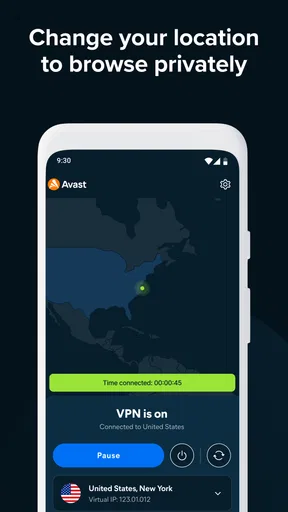
Picture a family member sitting at the kitchen table, joining a public Wi-Fi network while waiting for a ride, then opening a banking or email app. A VPN can add a protected route for that device’s internet traffic, which is the kind of straightforward task this app is designed to handle. I’d connect before opening sensitive accounts, then check the app’s connection state rather than assuming that launching it alone has turned protection on.
That routine is useful, but it is not a substitute for good account habits. A VPN does not stop someone who knows your device passcode from opening your apps, and it cannot make a weak password stronger. On shared phones in particular, I’d keep personal profiles, sign-ins, and device access separate where possible. The practical benefit is a safer network path, not a private boundary between people who use the same unlocked device.
For this kind of use, the app’s simple connection approach is more helpful than a long list of controls. A less technical relative can learn one repeatable sequence: open the VPN, connect, then browse. The trade-off is that people who want to tune every aspect of a VPN connection may find a streamlined interface less satisfying than a specialist service with more hands-on options.
Setup is simple, but make the subscription decision deliberately
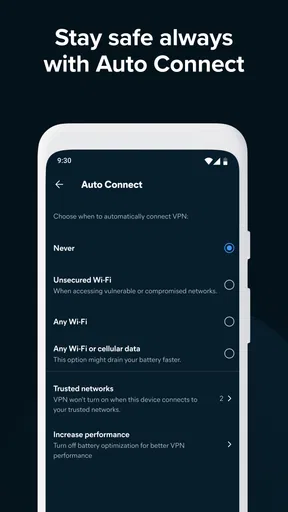
The first connection is not a complicated project, which makes SecureLine approachable for someone who has never used a VPN. Still, I’d treat the setup as a chance to make a few choices consciously. Confirm that the app is connected when you need it, decide whether you want it running for ordinary browsing or only for particular situations, and learn how to disconnect when a site or service behaves unusually.
There is a meaningful difference between trying an app and committing to ongoing use. Avast’s communication app is free to install, while in-app purchases range from $0.99 to $79.99 per item. I’d review the purchase screen carefully before starting any paid option, especially if a device is shared with a child or another family member who can access the app store account. A free listing should not be confused with every VPN function being free indefinitely.
Worth Reading Before You Choose

Flipboard Shows What News Apps Must Do Beyond the Feed

Switching to Android Auto Means Rethinking Your Driving Routine

Google Calendar Makes a Crowded Week Easier to Manage

Ludo King Makes the Most of the Minutes Between Plans

Baby Panda World Brings Quick Play to Modern Phones, but Its Game Library Feels Busy

ESPN’s Live Game View Makes Following Close Games Easier
Compatibility is also worth checking before you plan a household routine around it. The current version is 7.1.14681 and it requires Android 8.0 or later. That makes the OS requirement a useful first filter for an older spare phone; if the device cannot install the app, it is better to know before relying on it for travel or public Wi-Fi.
Coordination without pretending one account covers everyone
In a shared home, I would agree on a simple convention rather than assume everyone uses the VPN the same way. For example, one person might connect before using public Wi-Fi, while another prefers to leave the VPN off for a local service that has trouble recognizing a changed network location. A short explanation prevents the predictable confusion of someone seeing a different location in an app and thinking their phone has malfunctioned.
It also helps to separate the VPN from household internet troubleshooting. If a streaming app, online game, or banking service acts differently while the VPN is active, disconnecting briefly can help identify whether the VPN route is involved. That is a diagnostic step, not proof that the service is unsafe or that the VPN is failing. I’d avoid leaving the protection off indefinitely just because one app needs a different connection for a particular task.
SecureLine is not a replacement for a router-level service when the goal is to cover every device on a home network. Nor would I assume that one person’s phone setup changes what another person’s laptop sends online. Its more natural role is personal, device-by-device protection, especially for people who want a familiar app rather than a household networking project.
Age, trust, and realistic expectations
The app is rated Everyone, but that label is about its content classification, not a promise that VPN use is automatically suitable for every child or that it includes family supervision tools. I would explain what it does in plain language: it changes the route a device uses to reach the internet and can help protect that connection. It does not give a parent a view of everything a child does online, and it should not be presented as a substitute for conversations about privacy and safe browsing.
Avast Software is the developer, and the app has an average rating of 4.3 from around 223,000 ratings, with about 8,300 written reviews and over 10 million installs. That gives a prospective user a sense that it is an established product, but popularity is not a guarantee that it suits a particular household, network, or streaming service. I’d use the trial experience to judge the things that matter on my own devices: whether the connection is easy to manage, whether everyday services work as expected, and whether the purchase terms fit my needs.
Privacy also depends on more than installing a VPN. I’d still keep apps updated, use strong and distinct account passwords, and be careful with links and sign-in prompts. The VPN can help with the network leg of that routine, but it cannot make an untrustworthy website trustworthy or prevent someone from sharing personal information on a public profile.
Who benefits most, and when another option makes more sense
I think SecureLine is most appealing to a person who wants a recognizable, uncomplicated VPN for a phone and values getting connected without adjusting lots of settings. A frequent traveler, a student using shared Wi-Fi, or someone who wants a simple extra layer for everyday browsing may appreciate that low-friction approach. A less technical relative may also find a large connect button easier to understand than a configuration-heavy VPN client.
On the other hand, someone whose main concern is protecting every device at home should compare it with a router-based VPN setup or another approach designed for network-wide coverage. A user who needs detailed control over protocols, specialized routing, or a particular privacy configuration should compare feature details before paying. And if the main goal is to stop tracking inside apps or to manage a child’s screen time, a VPN is the wrong tool; privacy settings, account controls, and parental-management features address different problems.
Compared with the usual alternatives, SecureLine’s strength is approachability rather than being a universal answer. A browser’s private mode, for instance, mainly changes what is saved locally in that browser; it is not the same as routing a device’s traffic through a VPN. A free public proxy may be tempting for changing apparent location, but I would not treat an unknown proxy as equivalent to a VPN from a known security company. Conversely, a more advanced paid VPN may offer controls that a casual user does not need. The right choice depends on whether simplicity or fine-grained control matters more.
One useful habit is to test the VPN with the exact services you rely on before travel or a time-sensitive task. Try a map, a bank, a work login, or a streaming app at home, while you can easily switch the connection off if something behaves differently. This avoids discovering at an airport or hotel that a service is sensitive to a changed network location. I’d also avoid judging speed from one quick test: location, Wi-Fi quality, and the service being accessed can all affect how responsive browsing feels.
Getting Started with Avast SecureLine VPN
First things first, setting up Avast SecureLine VPN & Privacy is a breeze. You can find it easily on both Android and iOS. Downloading and installing took me just a couple of minutes, and I’m no tech wizard, so that’s saying something. Once you open the app, you’re greeted with a clean and intuitive interface that even your grandma could navigate.
The app offers a free trial, which is perfect if you’re like me and want to test the waters before diving in. After that, you’ll need to choose a subscription plan. There are a few options, and the prices are pretty standard compared to other VPNs out there.
Interface and User Experience
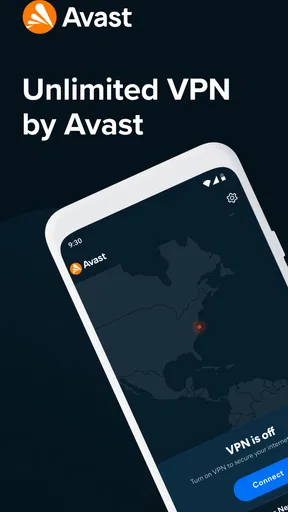
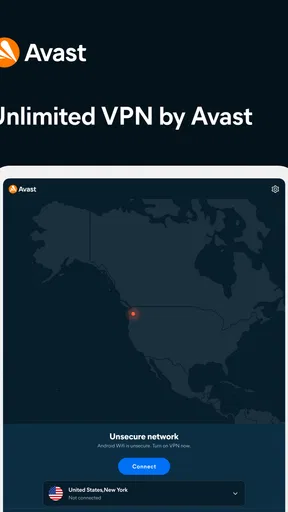
Now, let’s talk about the interface. It’s sleek and straightforward. You’ve got a big button in the middle that connects you to the VPN. Could it be any easier? It’s like hitting the snooze button on a Monday morning – super simple and very satisfying.
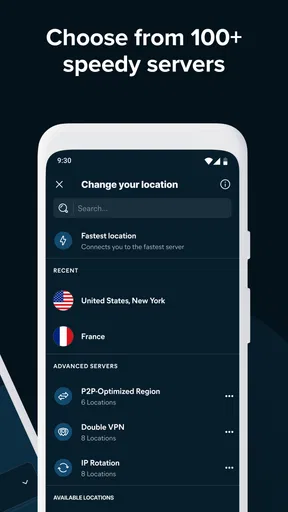
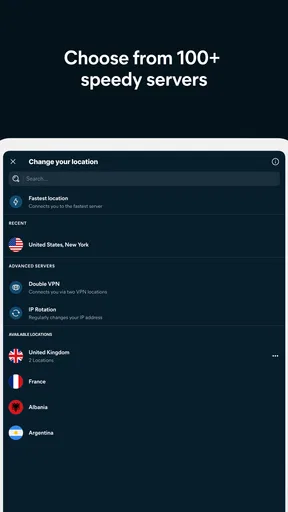
One thing I loved is the server selection. You can choose from locations all over the globe. Planning to binge-watch a series that’s not available in your country? No problem! Just switch your location, and you’re good to go. The connection is generally fast, and I didn’t experience any major lags or buffering during my tests.
Security Features
Alright, onto the juicy part – security. Avast is a big name in the cybersecurity world, so I had high expectations for their VPN. And honestly, it didn’t disappoint. The app uses strong encryption to keep your data safe from prying eyes. It’s like having a bouncer for your internet traffic.
There’s also a nifty kill switch feature. If your VPN connection drops, this feature ensures your internet connection is cut off too, so you’re not accidentally exposed. It’s like having a safety net, and it’s something I consider crucial in any VPN service.
Performance and Reliability
Performance-wise, Avast SecureLine VPN is pretty solid. I tried it out with streaming, browsing, and a bit of online gaming just to see how it holds up. The speeds were decent, and I didn’t encounter any major hiccups. Of course, VPNs can sometimes slow down your connection slightly, but I found the impact to be minimal here.
The reliability factor is also top-notch. I didn’t experience any unexpected disconnects, which is always a relief. It’s like finding a reliable friend who doesn’t ditch you halfway through a plan.
Additional Features
Beyond the basics, Avast SecureLine VPN comes with a few additional perks. There’s a handy feature that allows you to connect up to five devices simultaneously. So, if you’re a multi-gadget user like me, this can be a real lifesaver.
Another cool aspect is the option to try their free trial without committing right away. It’s like taking a car for a test drive – you get to see if it’s a good fit without any pressure.
Final Thoughts
So, after spending some quality time with Avast SecureLine VPN & Privacy, I’d say it’s a solid choice for anyone looking to enhance their online privacy and bypass those annoying geo-restrictions. It’s user-friendly, reliable, and backed by a reputable name in the cybersecurity industry.
If you’re in the market for a VPN, it’s definitely worth a shot. Whether you’re a seasoned VPN user or a total newbie, this app makes it easy to protect your online activities without any hassle. So, go ahead, give it a whirl, and enjoy surfing the web with peace of mind!
Pros
- Fast connection speeds for streaming and browsing.
- User-friendly interface for easy setup and use.
- Supports multiple devices with one subscription.
- Strong encryption ensures data privacy.
- No-logs policy enhances user anonymity.
Cons
- Limited server locations compared to competitors.
- No free trial available for new users.
- Can be pricier than other VPN options.
- Occasional connection drops reported by users.
- Customer support can be slow to respond.
FAQs for Avast SecureLine VPN & Privacy
What platforms does Avast SecureLine VPN support?
Avast SecureLine VPN is available for both Android and iOS devices. It also supports Windows and macOS computers, providing a seamless experience across multiple devices. This cross-platform availability ensures that users can maintain their privacy and security on any device they use.
How does Avast SecureLine VPN ensure my online privacy?
Avast SecureLine VPN encrypts your internet connection using advanced encryption protocols, making your online activities hidden from hackers and snoopers. It masks your IP address, providing anonymity while you browse. This ensures that your data and personal information are kept secure and private at all times.
Can I use Avast SecureLine VPN to access geo-restricted content?
Yes, Avast SecureLine VPN allows you to bypass geo-restrictions and access content from different regions. By connecting to servers in various countries, you can enjoy streaming services, websites, and other content that might be restricted in your current location, expanding your entertainment options.
Does Avast SecureLine VPN affect my internet speed?
Using a VPN can slightly reduce your internet speed due to the encryption process. However, Avast SecureLine VPN is designed to minimize this impact by offering high-speed servers. Most users find the speed reduction negligible, ensuring smooth browsing, streaming, and downloading experiences.
Is Avast SecureLine VPN easy to use for beginners?
Avast SecureLine VPN is user-friendly, making it accessible even for beginners. The app features a simple interface, with a one-click connection process. Users can easily choose servers and manage their VPN settings without technical expertise, making it suitable for all levels of users.


